jdbc初步使用方式
//注册驱动
Class.forName("com.mysql.jdbc.Driver");

String url = "jdbc:mysql://127.0.0.1:3306/mybatis";
String username = "root";
String password = "root";
//获取连接
Connection conn = DriverManager.getConnection(url,username,password);

//定义sql
String sql = "update book_category set category_name = '测试2' where category_id = 10";

//获取执行sql的对象statement
Statement stmt = conn.createStatement();

//执行sql
int count = stmt.executeUpdate(sql);

System.out.println(count);

stmt.close();
conn.close();
对于新的版本来说,可以不用注册驱动
对于本机默认端口3306的数据库,可以省去127.0.0.1:3306
在连接url中可以使用useSSL=false将ssl连接禁用
Connection作用
- 获取执行SQL的对象
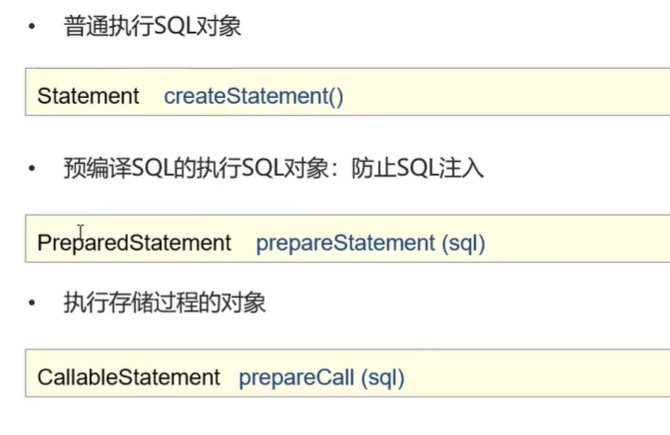
- 事务管理
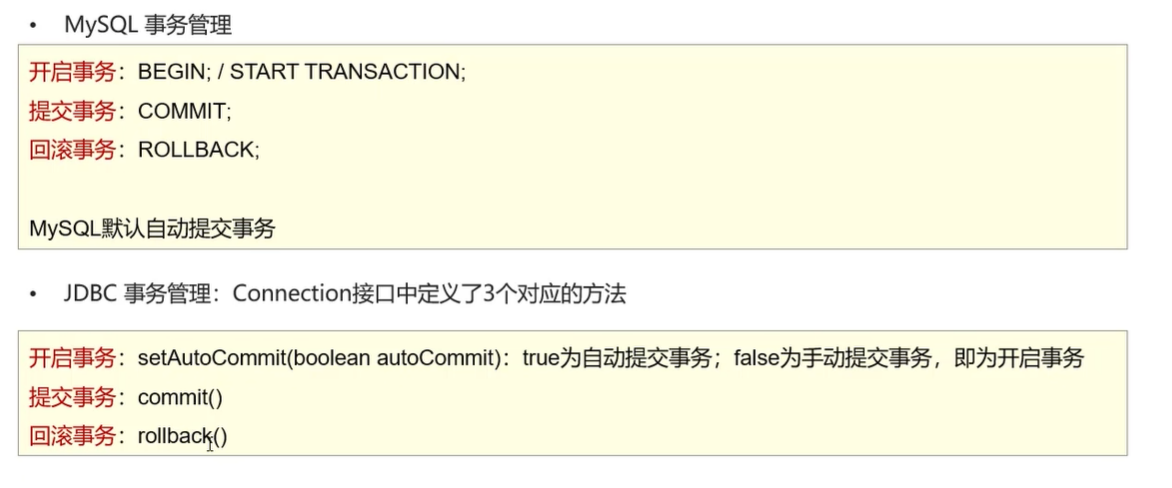
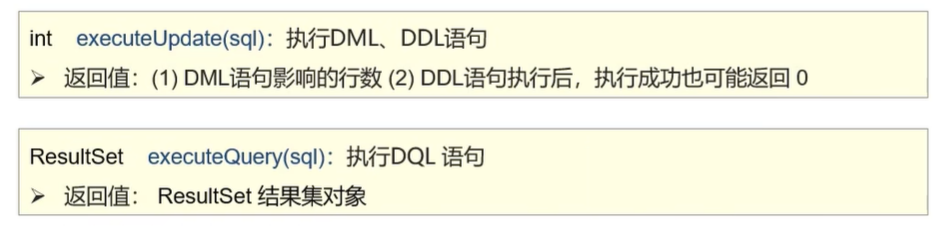
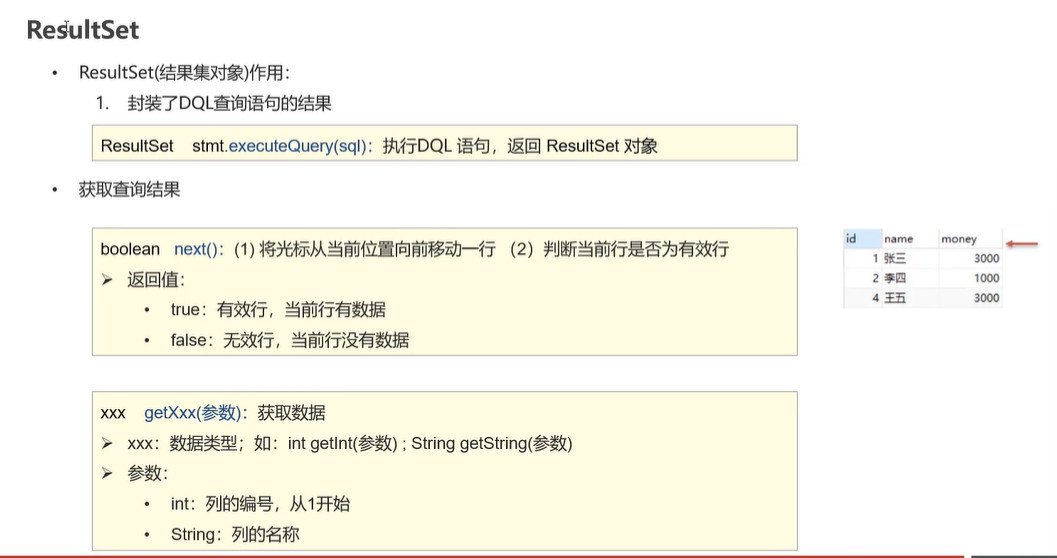
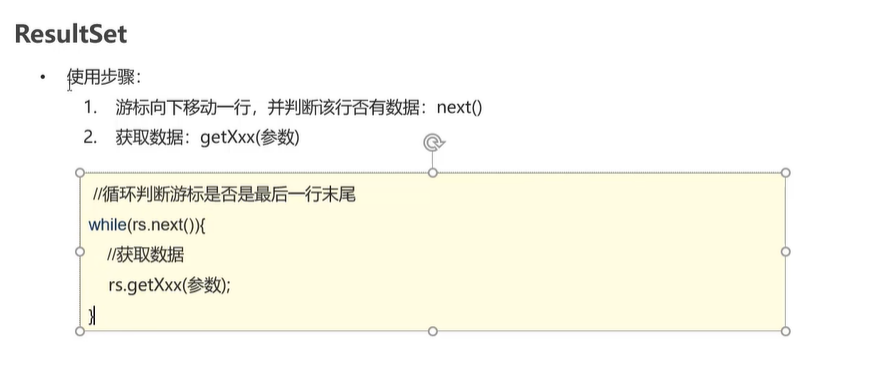
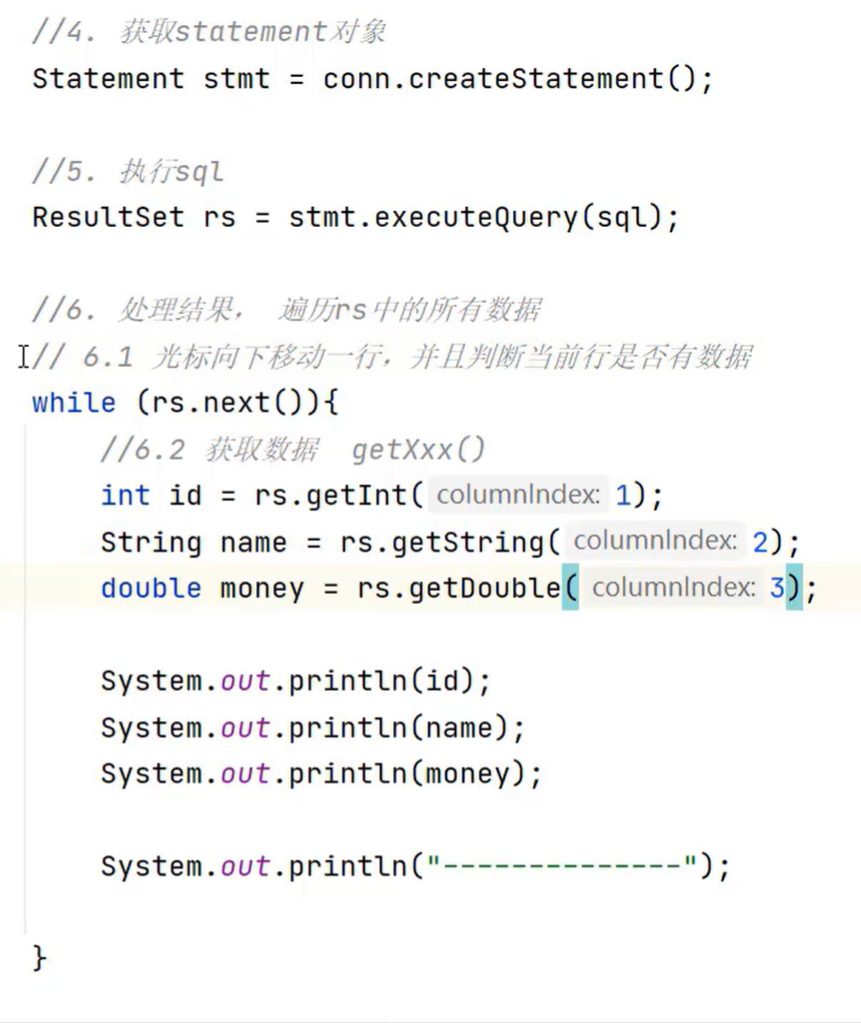
Statement作用
- 执行SQL语句
PrepareStatement作用
使用前需要在数据库连接配置中打开该功能
作用:
    预编译,同种模板只编译一次,可以减少资源占用

    通过转义特殊字符,实现预防SQL注入
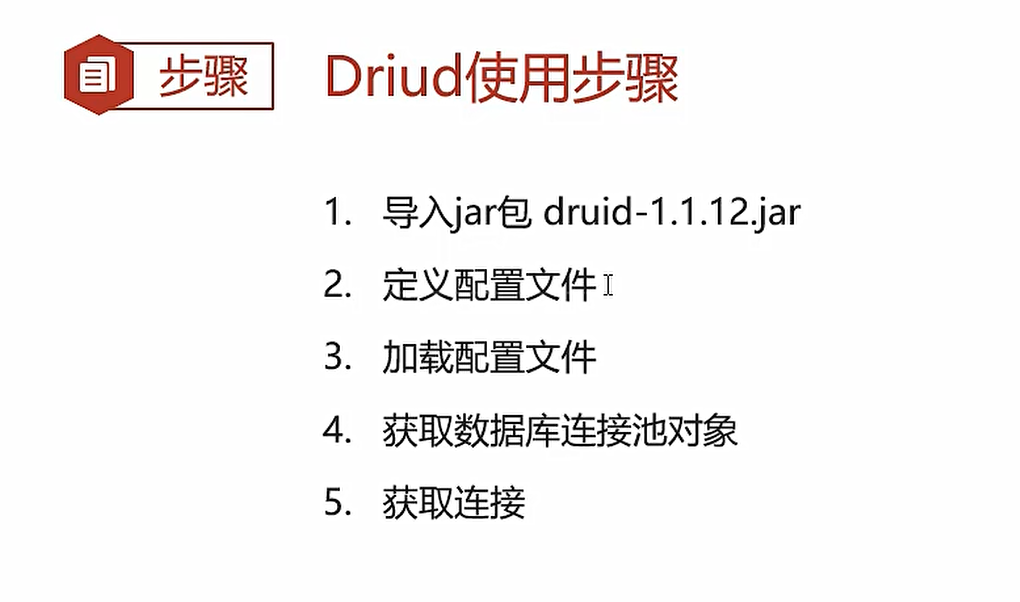
数据库连接池
相当于存在一个conn池,在多个用户连接时使用已经存在的conn进行连接,避免用户频繁使用数据库导致每次需要重新建立新的连接,减少资源占用
比较常用的数据库连接池技术—阿里巴巴的开源技术 Druid连接池(德鲁伊)